Contrary to popular belief, a complex password is absolutely not enough to protect your smart home against a sophisticated intrusion.
- The biggest security flaw isn’t your gadgets, but your single Wi-Fi network that mixes personal, professional, and home automation devices.
- Every low-end connected object or those no longer updated by their manufacturer becomes a ticking time bomb—a potential gateway for hackers.
Recommendation: The first concrete and most effective action is to immediately create a “guest” Wi-Fi network on your router and connect all your smart objects exclusively to it.
You’re proud, and rightly so. Your home obeys your voice, the lights adapt to your mood, and your lock unlocks as your phone approaches. You are living in the future, an ecosystem of connected objects that simplifies your daily life. To protect yourself, you’ve followed the basic advice: strong passwords and regular updates. You think you’re safe. You are dead wrong.
The truth is, these measures are the equivalent of double-locking the front door while leaving every ground-floor window wide open. Convenience comes at a price, and that price is an exponential increase in your digital attack surface. Every gadget, from the cheapest light bulb to the most sophisticated voice assistant, is a potential soldier in an enemy army that can turn against you.
What if the real flaw wasn’t a weak password, but the very architecture of your home network? What if your new $10 smart plug, bought without a second thought, could become the entry point allowing a hacker to steal confidential data from your work computer? It is this perspective—this invisible security architecture—that obsesses cybersecurity experts and that the general public totally ignores. We are going to move past surface-level advice to dive into constructive paranoia.
This article will show you how to think like a hacker to defend your digital fortress. We will explore concrete threats, from the most obvious to the most insidious, and provide you with defense strategies adapted to the Canadian and Quebec context, particularly in light of Law 25 requirements.
Summary: Protecting Your Smart Home Against Cyber Threats
- Why your connected bulbs should never be on the same Wi-Fi as your work computer?
- How to change your router’s default password that all hackers already know?
- Chinese gadget or recognized brand: The hidden risk of $10 smart plugs?
- The mistake of placing a connected camera in the living room without securing the video stream
- When to update your fridge: Why connected objects become obsolete and dangerous
- How to set up a productive office in a 4 ½ without losing space?
- When to file a complaint for noise: Effective procedures at the administrative tribunal
- Law 25 in Quebec: 3 compliance requirements that 60% of SMEs still don’t respect
Why your connected bulbs should never be on the same Wi-Fi as your work computer?
The tech enthusiast’s biggest mistake is viewing their Wi-Fi network as one big open, friendly space. This is madness. You must see it as a fortress with several enclosures. Your work computer, containing your sensitive data, is the keep. Your connected bulb is a simple outpost on the outer wall. Putting them on the same network is like giving the key to the keep to the outpost guard. If that outpost is compromised—and low-end connected objects often are—the enemy has direct access to the heart of your castle. The risk is not hypothetical; over 105 million attacks against connected objects were observed in just six months in 2019, a figure that has exploded since then.
The fundamental principle of home cybersecurity is digital compartmentalization. Your connected objects (IoT), which are often less secure and rarely updated, must be isolated on a separate network from your critical devices (computers, phones, NAS). Most modern routers, including those provided by Canadian ISPs, allow you to create a “guest network.” This network provides internet access but is hermetically sealed from your main network. A hacker who takes control of your thermostat via the guest network would hit a digital wall, unable to reach your professional laptop.
Case Study: The hacking of an Ontario family by CBC Marketplace
To illustrate this danger, the team from the Canadian show Marketplace conducted a terrifying experiment. In just a few hours, security experts took total control of an Ontario family’s smart home. The attack began with a simple phishing email imitating their device manufacturer. Once the password was retrieved (the same one used for multiple devices), hackers were able to unlock the smart lock, watch the family via surveillance cameras, and manipulate the thermostat. This demonstration proves that a single small error on one device can compromise your entire home if everything is interconnected without digital isolation.
Action Plan: Your Guide to Segmenting Your Wi-Fi Network
- Access the router interface: Open a browser and enter your router’s IP address (often 192.168.1.1 or 192.168.0.1) to access the configuration panel.
- Create the guest network: Look for the “Guest Network” option in the Wi-Fi settings and activate it. This will be the dedicated network for your connected objects.
- Configure the secondary network: Assign a clear name (SSID) (e.g., “Home_IoT”) and, most importantly, a different and very robust password to this new network.
- Limit resources (optional): If possible, limit the bandwidth allocated to the guest network to ensure your main network remains prioritized for remote work or streaming.
- Client Isolation: Enable the “Disable communication between devices” or “Client Isolation” option on the guest network. This will prevent your camera from “talking” to your lock, adding an extra layer of security.
How to change your router’s default password that all hackers already know?
If your Wi-Fi network is the fortress, your router is the main entrance and its administration page is the lock. Leaving the default credentials (“admin/password” or “admin/admin”) is the equivalent of leaving the key under the doormat. It is the very first thing any automated hacking script will attempt. These combinations are public, listed on hundreds of websites, and known to all attackers, from the most novice to the most seasoned. Changing this password is not an option; it is an absolute emergency.
The procedure is simple but vital. You must log in to your router’s management interface (via its IP address in a browser) and find the “Administration” or “Security” section to change the administrator password. Note that this is not your Wi-Fi password, but the one that protects access to the router’s settings themselves. Without this access, a hacker cannot change your settings, disable your firewall, or redirect your traffic to malicious sites.
As recommended by the Canadian Centre for Cyber Security, the era of simple passwords is over. You must think in terms of “passphrases”:
We recommend that you create passwords that are at least 12 characters long. A passphrase is a memorized phrase that consists of a sequence of various words, with or without spaces. Your passphrase should be at least 4 words and 15 characters long.
– Canadian Centre for Cyber Security, Best practices for creating passphrases and passwords (ITSAP.30.032)
For Canadian homeowners, finding the default information can be a first challenge. Every Internet Service Provider (ISP) has its own standards.
| Provider | Model/Service | Default IP Address | Default Credentials |
|---|---|---|---|
| Bell | Home Hub 3000/4000 | 192.168.2.1 | admin/admin |
| Rogers | Ignite Gateway | 10.0.0.1 | cusadmin/password |
| Vidéotron | Helix Fi Gateway | 192.168.0.1 | admin/password |
| Telus | T3200M | 192.168.1.254 | admin/telus |
Chinese gadget or recognized brand: The hidden risk of $10 smart plugs?
The appeal is powerful: a smart plug for the price of a coffee, a smart bulb barely more expensive than a classic one. But this derisory cost often hides a colossal security debt. The difference between a gadget from a recognized brand (like Philips Hue, Lutron) and a generic nameless product isn’t just in the quality of the plastic; it lies in the invisible investment in cybersecurity. Established brands have teams dedicated to finding flaws, regularly publish firmware updates, and have a reputation to defend. The anonymous manufacturer of a $10 plug has only one goal: to sell as many units as possible as quickly as possible. Security is a cost, not a priority.
These low-end devices are riddled with vulnerabilities. A classic study revealed that nearly 70% of connected objects have easily exploitable vulnerabilities, such as hardcoded passwords, unencrypted communications, or unsecured web interfaces. By buying such a product, you are voluntarily installing a potential bug in your home. Worse, you connect it to your network, giving it a privileged position to spy on traffic and attack other, more important devices.
In Quebec, Law 25 adds a legal dimension to this choice. As a consumer, you have rights over your personal data. Before buying, you should ask fundamental questions that low-end manufacturers often cannot answer: Where is my data stored? Does the company have a privacy officer in Canada? Is the privacy policy clear, or is it legal gibberish? Choosing a recognized brand is not an absolute guarantee, but it is an essential filter to weed out the worst threats.
The mistake of placing a connected camera in the living room without securing the video stream
Of all security breaches, that of a surveillance camera is the most terrifying. It is no longer a simple data loss; it is a direct violation of your privacy. Placing a camera in a living area without understanding and mastering the security of its video stream is incredibly reckless. The main problem is twofold: the security of the device itself and the location of the data it records. An alarming report showed that up to 76% of IoT objects communicate via unencrypted channels. This means your camera’s video stream could be intercepted by a tech-savvy neighbor or anyone on the same public Wi-Fi network.
Beyond encryption, the issue of data sovereignty is paramount, especially for Canadians. Most American smart home giants, like Ring (owned by Amazon) or Nest (owned by Google), store your data on servers located in the United States. This data is therefore subject to the CLOUD Act, a U.S. law that allows American authorities to demand access to this information, even if it belongs to foreign citizens and is stored outside the USA. By installing these cameras, you are potentially giving the U.S. government access to your living room.
This is where choosing a local provider makes total sense. Solutions offered by Canadian companies can provide a crucial alternative.
Case Study: Data Sovereignty with TELUS SmartHome Security
By choosing a solution like TELUS, Canadians can benefit from professional 24/7 monitoring while ensuring that their personal data, including video recordings, remains securely stored in Canada. This local approach ensures that data does not fall under the U.S. CLOUD Act, offering legal protection and peace of mind that international solutions cannot always guarantee. This is a concrete example where the choice of a provider is not only technical but also geopolitical.
The security of your video stream therefore relies on three pillars: choosing a device that encrypts communications end-to-end (WPA3 for Wi-Fi, TLS/SSL for the stream), opting for a provider that respects your data sovereignty, and of course, placing the camera on your isolated IoT network.
When to update your fridge: Why connected objects become obsolete and dangerous
Do you think a connected object, once purchased, will work forever? This is a dangerous illusion. Every smart device depends on software support from the manufacturer to receive security updates. But this support has an end. When the manufacturer decides a product is no longer profitable, they stop publishing patches. At that exact moment, your device—whether it’s a fridge, a TV, or a lock—becomes a vulnerable “brick.” It may continue to function, but every new security flaw discovered by hackers will remain wide open, forever. This is the concept of security obsolescence.
This is not science fiction. Millions of devices are abandoned every year by their creators, turning them into gaping gateways into home networks.
Case Study: The Western Digital My Book Live Ticking Time Bomb
For years, the Western Digital “My Book Live” NAS drive was a popular product. Then, in 2015, the company quietly stopped updating it. In 2021, hackers exploited a long-known but unpatched security flaw, allowing them to remotely wipe the data of millions of these devices worldwide. Years of family photos and important documents vanished in an instant. This incident perfectly illustrates how a perfectly functional device can become a toxic threat to your data overnight, simply because its support was abandoned.
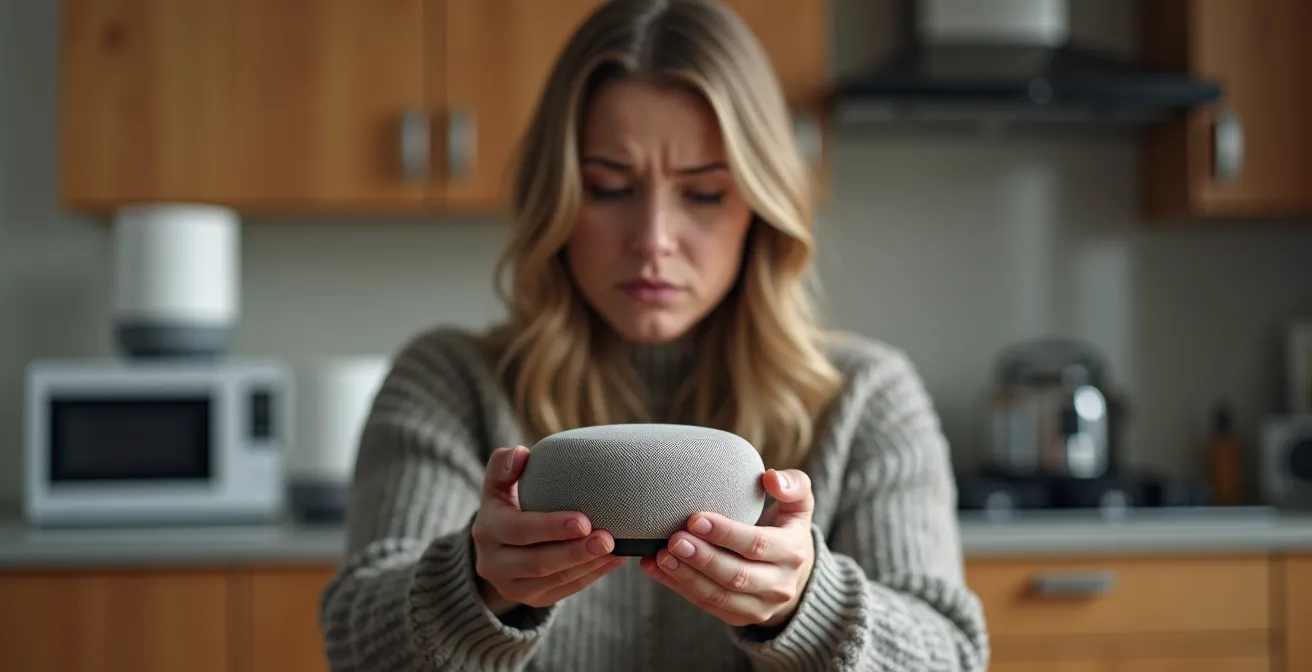
When you know one of your devices is no longer supported, it is imperative to disconnect it from the internet or even replace it. If you decide to get rid of it, a secure disposal procedure is essential, especially in Quebec with its dedicated Eco-centres. Simply throwing it away is not enough.
- Perform a full factory reset to erase all your data and configurations.
- Remove the device from all your online accounts (manufacturer cloud, mobile apps).
- Physically remove any memory cards or removable storage media.
- Drop off the device at an Eco-centre in Quebec or another certified electronic recycling collection point to ensure physical and ecological destruction.
How to set up a productive office in a 4 ½ without losing space?
In a modest-sized apartment like a 4 ½, setting up a productive home office is as much about space optimization as it is about physical cybersecurity. The location of your network equipment is not trivial. Placing your main router on a windowsill to “get better reception” is a very bad idea. You are exposing your Wi-Fi signal to the outside, facilitating proximity attacks like “wardriving,” where hackers scan for vulnerable networks from their cars.
Ideally, place the router in the center of the apartment for optimal coverage and minimal exposure. But physical security doesn’t stop there. Party walls with your neighbors can also be weak points if their own network is compromised and they attempt to interfere with yours. The goal is to create trust zones even in a restricted space. Your professional workstation and your main router should be in the most secure zone, while less reliable connected objects can be placed in more exposed zones, as they are already isolated on your guest network.
The security of your home office is therefore a dual challenge: logical security (separate networks, strong passwords) and physical security (equipment location). Even in a 4 ½, this distinction is crucial.
| Location | Security Level | Risks | Recommendation |
|---|---|---|---|
| Near windows | Low | Proximity hacking, signal visible from outside | Avoid |
| Party walls | Medium | Interception by neighbors | Acceptable with precautions |
| Center of apartment | High | Minimal | Ideal for main router |
| Central closed cabinet | Very High | Very low, physical protection | Optimal for NAS and servers |
When to file a complaint for noise: Effective procedures at the administrative tribunal
The hacking of connected objects can take more insidious forms than simple data theft. It can turn into actual harassment. Imagine hackers taking control of your smart speakers or sound system to play music at full volume in the middle of the night. This is no longer a simple nuisance; it is an intrusion that can have serious psychological consequences and which, legally, can be akin to digital harassment. In this case, a complaint is not only justified; it is necessary.
However, for your complaint to be effective, notably with the police service (such as the SPVM in Montreal or the RCMP for interprovincial cases), you must arrive with a solid case. Law enforcement is often poorly trained in these new forms of crime. You must do the work for them. It is crucial to document every incident: note the precise dates and times of events. Take screenshots of connection histories in the device’s app. If you are technically inclined, capture your router’s logs which might show suspicious IP addresses connecting to your network at the time of the incidents.
A particularly interesting case concerns manufacturer liability. As highlighted by the Office de la protection du consommateur in Canada, if the “noise” was made possible by a known and unpatched security flaw on your device, your recourse is no longer just criminal. You can also build a case for a product security defect. You are no longer just a victim of harassment, but also the victim of a defective and dangerous product. This double approach considerably strengthens your position and puts pressure not only on the hacker but also on the negligent manufacturer.
Key Takeaways
- Segmentation is king: The most important security measure is creating a “guest” Wi-Fi network exclusively for your connected objects to isolate them from your sensitive devices.
- Software support beats hardware: The real value of a connected device lies in how long its manufacturer will provide security updates. An unsupported device is a dangerous device.
- Data sovereignty matters: In Canada, prioritize devices and services that store your data domestically to avoid it falling under foreign laws like the U.S. CLOUD Act.
Law 25 in Quebec: 3 compliance requirements that 60% of SMEs still don’t respect
While Law 25 in Quebec primarily targets companies that collect personal information, it gives you, as a consumer, powerful weapons to protect your privacy against tech giants. You are no longer a passive user; you are a digital citizen with rights. Understanding these rights transforms your relationship with the manufacturers of your connected gadgets. The law imposes transparency and control that many companies, especially those based outside Canada, struggle to respect.
One of the most powerful provisions is the obligation for a company to conduct a Privacy Impact Assessment (PIA) before communicating your personal information outside of Quebec. As specified by the Commission d’accès à l’information du Québec, this assessment has been mandatory since September 2023 and must demonstrate that your data will benefit from adequate protection at its final destination. In essence, a company can no longer send your data to all corners of the world without serious justification.
Since September 2023, before communicating personal information outside of Québec, an organization must conduct a privacy impact assessment (PIA). The communication can be carried out if the assessment demonstrates that the information would benefit from adequate protection.
– Commission d’accès à l’information du Québec, Major changes brought by Law 25
This means you can and should be proactive. Law 25 grants you concrete rights that you can exercise:
- Right of access: You can contact the Privacy Officer (a now-mandatory position in every company) at Google, Amazon, or Philips and request a full list of the data they have collected about you via your devices.
- Right to portability: You can demand that this data be provided to you in a structured, machine-readable format.
- Right to erasure: If you can demonstrate that information is causing you harm, you can request its deletion or de-indexing.
- Right to information: You have the right to ask a company if it has indeed conducted a PIA before transferring your data outside of Quebec. A refusal or an evasive response is a major red flag.
Law 25 is not just a constraint for SMEs; it is your shield. It makes privacy protection no longer an option but a legal obligation, and gives you the tools to enforce it.
Securing your smart home is not a one-time action, but a mindset—a constant vigilance. Start your digital home audit today. The first step, the simplest and most effective, awaits you in your router’s settings. Set up your guest network now.